Everything you need to make a baseline you can trust.
Grouped by the loop that runs through the whole product — capture, confirm, verify, reason, and hand off.
Capture
AI-drafted from your real documentation, organized by category, with a board view by priority. Short, scannable titles; full detail, benefit, and acceptance criteria underneath.
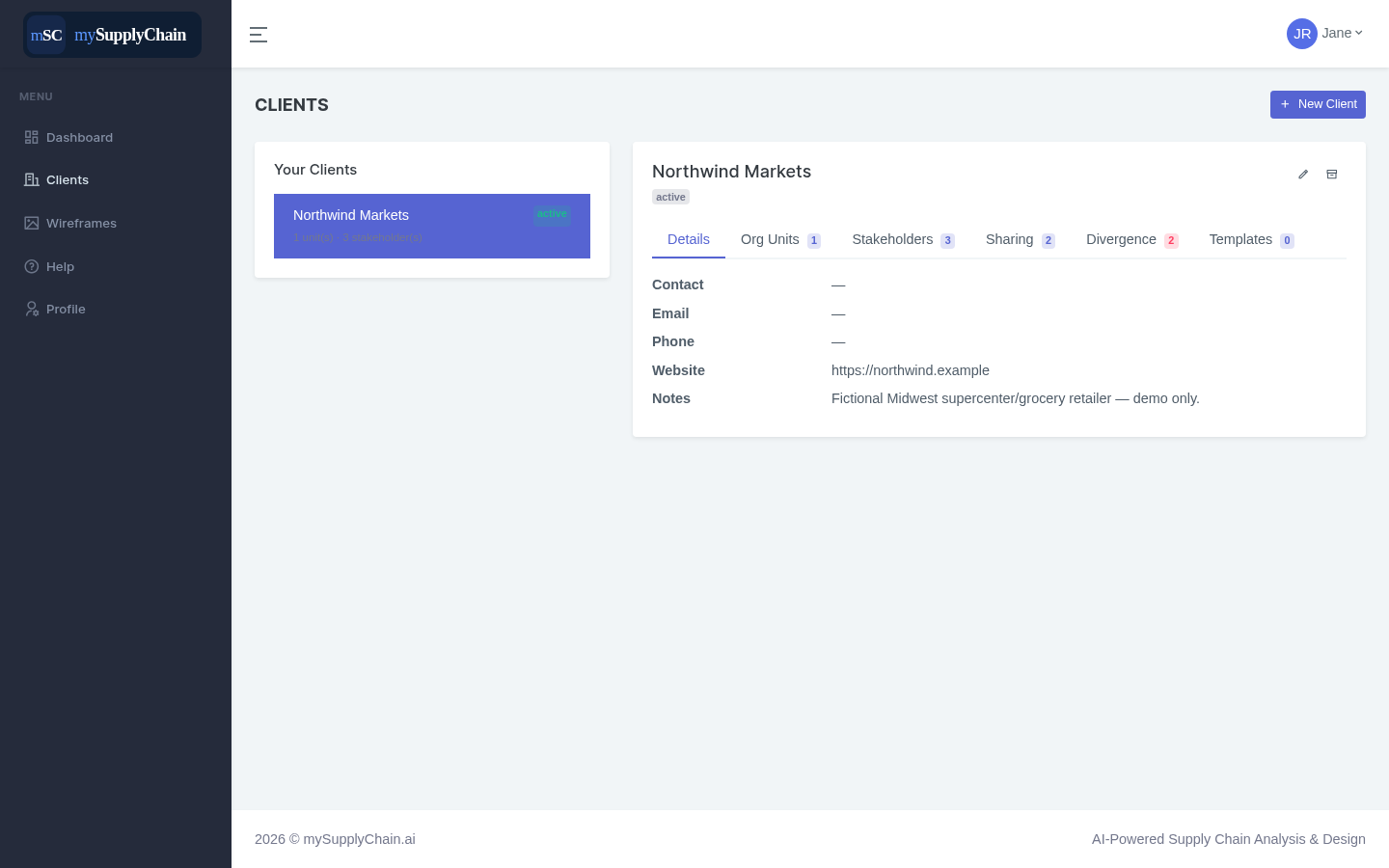
Every engagement is organized as Client → Org Unit → Stakeholders, with industries tagged by GICS classification — so scope, ownership, and context are clear from day one.
Confirm
Clarifying questions route to the stakeholder or department that owns the answer, with a full referral trail when they get handed off.
Provisional, Solid, or Validated — the confidence level travels with the answer, so you always know how firm the ground is.
Verify
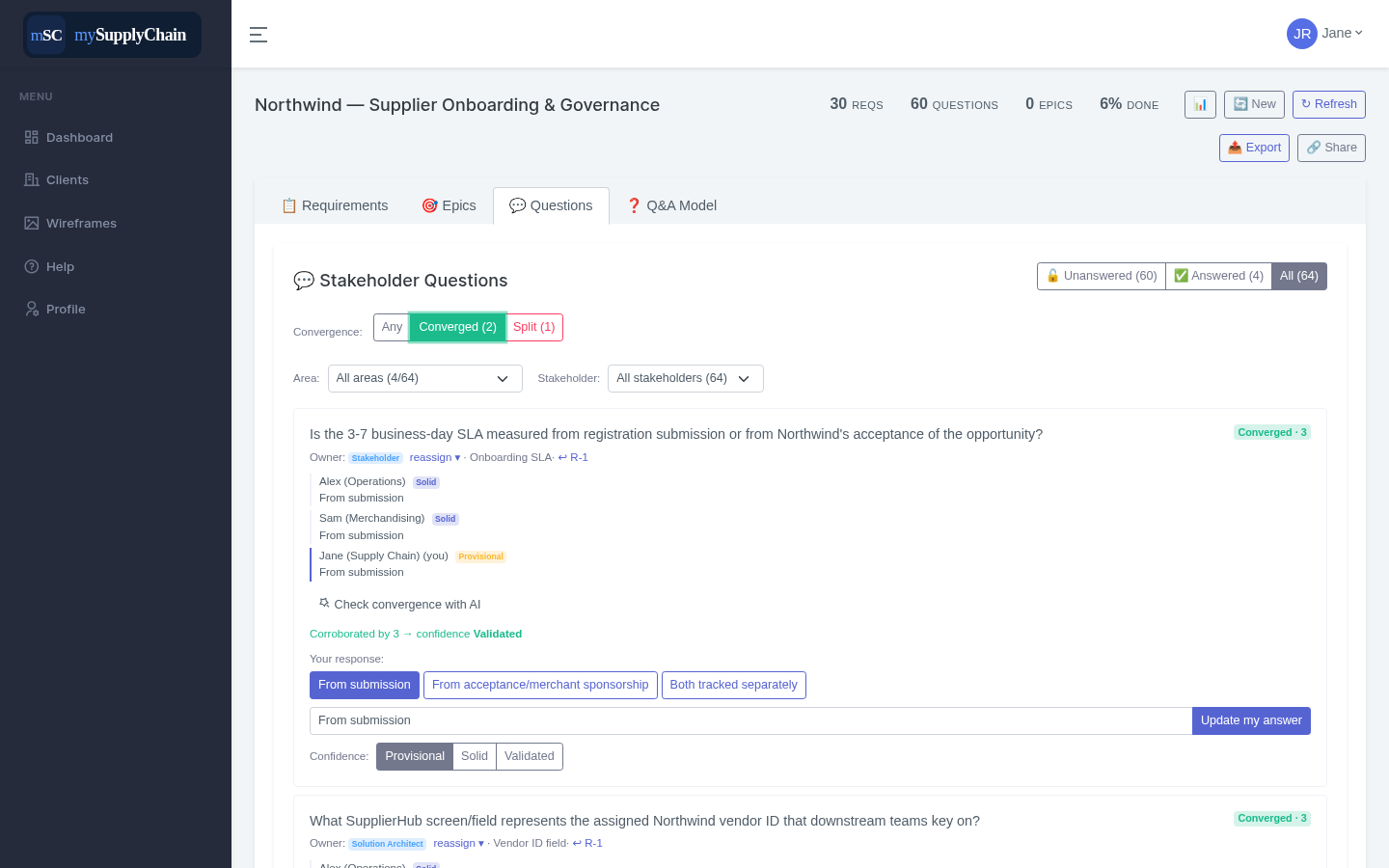
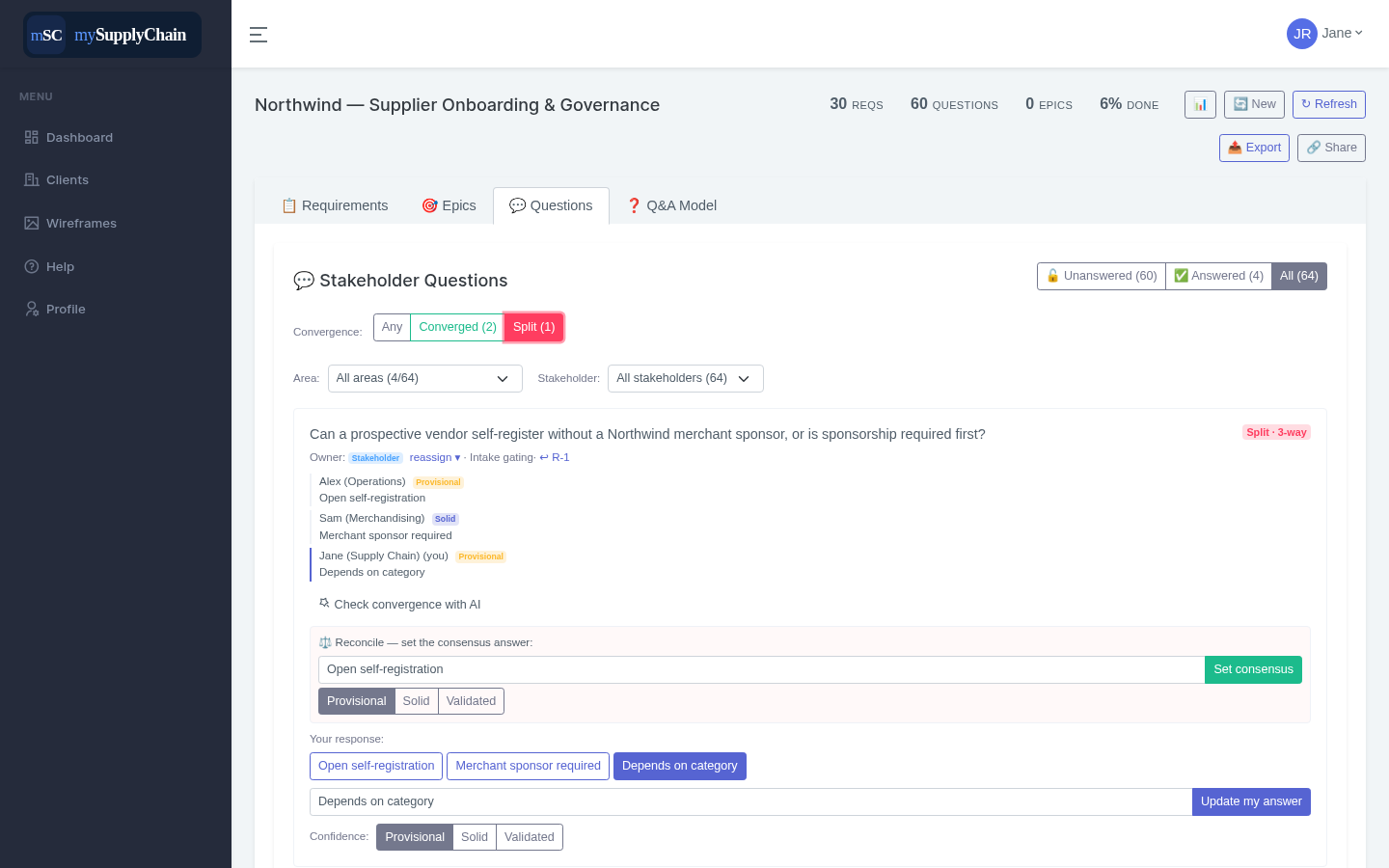
The differentiatorSeveral teams answer the same questions independently. Agreement auto-raises confidence to Validated; disagreement is flagged as Split and capped until reconciled.
Differently-worded answers that mean the same thing are recognized as agreement — cutting false conflicts so you only reconcile what's genuinely in dispute.
Resolve a split in one click and lock the agreed answer, with the trail of how you got there.
Every unresolved conflict across a client's projects, in one place — your punch list of what still needs alignment.
Reason
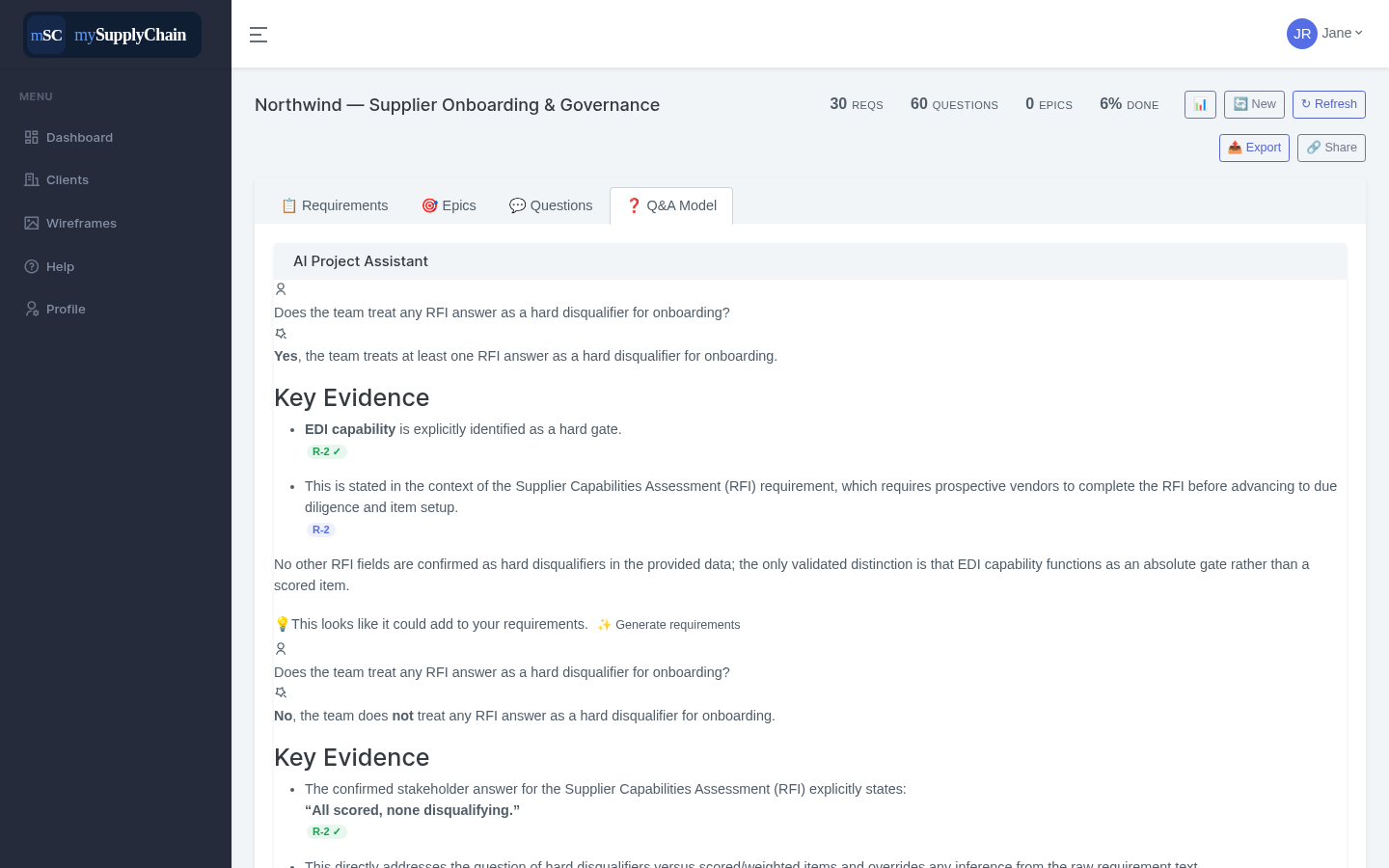
Ask in plain language across a project, a client, or your whole portfolio. It reasons only over confirmed answers and cites the exact requirement behind every point.
Change a confirmed answer and the assistant reflects it immediately — no stale context, no re-training.
Choose whether the assistant reasons over only Validated answers, Validated + Confirmed, or everything — so you control how conservative it is.
See & hand off
Every project, open question, and converged-vs-split count at a glance, with a cross-project answer review.
Share a single project or an entire client with a collaborator account, with roles.
Generate a clean .docx or .md from editable templates — global starters or your client's own — with field mapping and AI-written sections.